728x90
시작이 반인데....jpa 프로젝트 설정부터 에러가 발생해버렸다 참고로 무료버전을 사용중
해결방법이 생각보다 간단해서 다행..!
에러메시지
Execution failed for task ':JpashopApplication.main()'. > Process 'command 'C:\Program Files\Java\jdk-17\bin\java.exe'' finished with non-zero exit value 1 * Try: > Run with --stacktrace option to get the stack trace. > Run with --info or --debug option to get more log output. > Run with --scan to get full insights. > Get more help at https://help.gradle.org.
해결방법
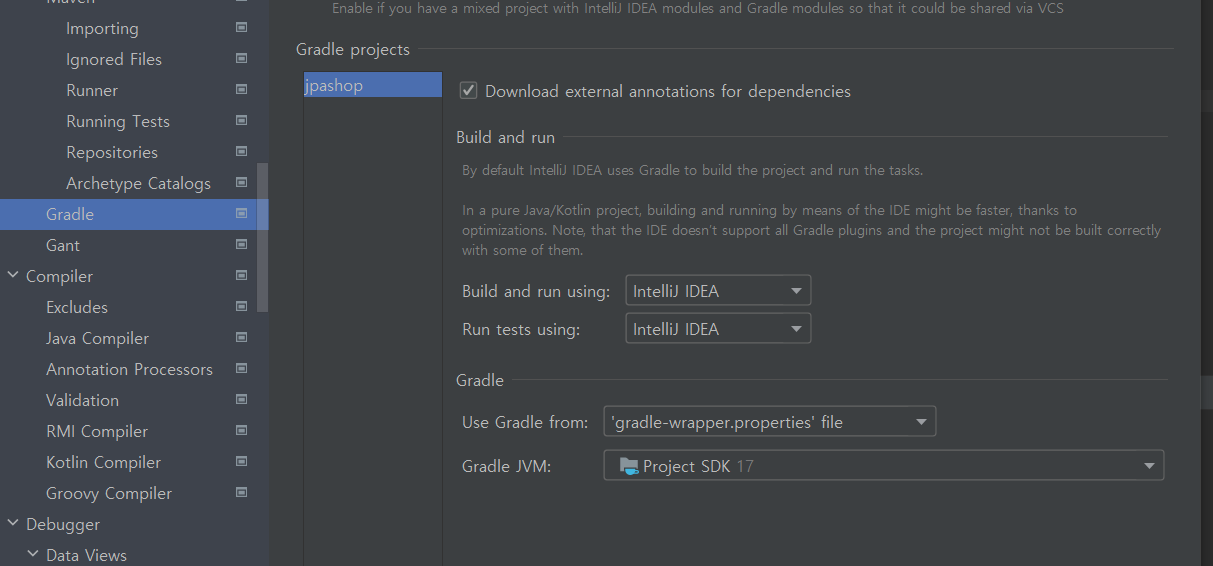
File > Settings 메뉴 클릭 (윈도우 Ctrl + Alt + S)
- [Build and run using]과 [Run tests using]을 IntelliJ IDEA로 변경
- [Gradle JVM] 버전을 현재 프로젝트 버전과 동일한 버전으로 변경
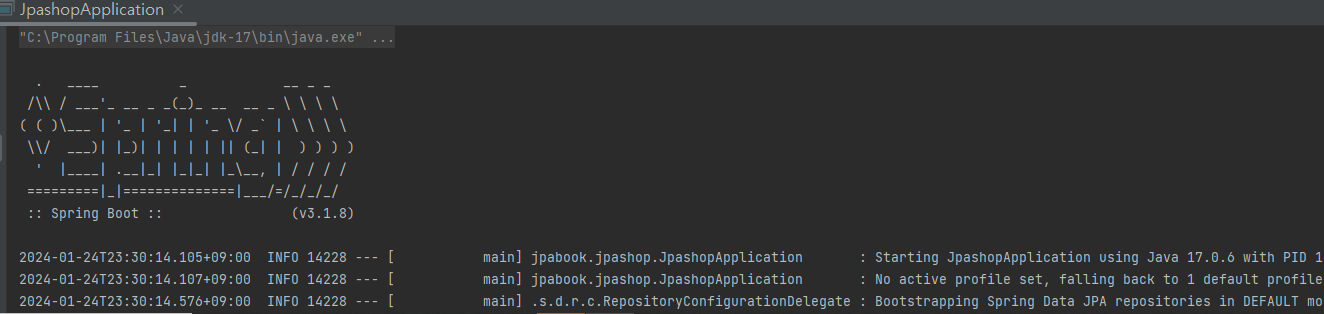
빌드 후 정상 동작되었다
반가운 sping 모양이 나왔다 ..!!
728x90
'SPRINGBOOT' 카테고리의 다른 글
| [Springboot + JPA] 개념 및 설계방법 (0) | 2024.03.21 |
|---|---|
| springboot, thymeleaf 'cannot be found on null' 해결방법 (0) | 2023.06.01 |
| Spring Boot Validation 적용하는 법(2.3.version 이상일 때) (0) | 2023.05.31 |
| spring boot - dao, dto, service, mapper 개념 (0) | 2023.05.07 |
| springboot - model 생성, controller 연결하기 (0) | 2023.04.01 |